
Picture this: you're settling in for the night, and with just one sentence, you dim the lights, check that the front door is locked, and adjust the thermostat. This isn't a scene from a futuristic movie; it's the reality of a smart home built around Amazon's Alexa.
This guide is your starting point for turning that vision into a reality, transforming your everyday routines into effortless, voice-activated actions.
Building Your Voice-Controlled Smart Home
Think of Alexa as the conductor of your smart home orchestra. Each device—a smart light, a thermostat, a door lock—is an instrument, and Alexa brings them all together to play in perfect harmony. You don't have to go all-in at once. Many people start with a single smart speaker or a few smart plugs and build out from there.
The real magic happens when you create a connected network where your security, lighting, and climate control all listen to you. We'll walk through everything from the basics to picking the right gadgets that save you time, energy, and give you peace of mind.
We’ll even dive into advanced, all-in-one sensors like the IRVINEi OVAL. This single device packs in motion, light, temperature, humidity, and water detection, opening up a world of automation that goes far beyond what single-purpose gadgets can do.
Why Choose an Alexa-Powered Smart Home?
Voice-controlled homes have exploded in popularity, moving from a niche hobby for tech enthusiasts to a mainstream convenience. It’s fundamentally changing how we live in and interact with our homes, and a big reason for that shift is how simple and accessible platforms like Alexa have made it.
The numbers don't lie. As of 2022, smart home devices have found their way into roughly 50% of U.S. households. Amazon Alexa is leading the charge, with a staggering 66% of consumers either already owning or planning to buy Alexa-compatible devices.
Key Benefits of an Alexa Ecosystem
Choosing Alexa as the brain of your smart home offers more than just the cool factor of voice commands. The real payoff is in the convenience, efficiency, and security it brings to your daily life.
- Centralized Control: No more juggling a dozen different apps. You can manage all your compatible devices—lights, locks, cameras, thermostats—from one place, either with your voice or the Alexa app.
- Seamless Automation: This is where it gets really powerful. You can create "Routines" that trigger a sequence of actions with a single phrase. For example, saying "Alexa, good night" could turn off every light, lock the doors, and set the thermostat to your preferred sleeping temperature.
- Broad Device Compatibility: The "Works with Alexa" label is on thousands of devices from hundreds of different brands. This gives you incredible freedom to mix and match the best products for your home, regardless of who makes them. To see how different hubs and protocols fit into this, check out our smart home hub comparison.
How Alexa Connects Your Smart Devices
For a smart home to feel truly connected, all your different gadgets need a way to speak the same language. This is where Alexa shines. Think of Alexa as your personal universal translator, taking a simple voice command and sending the right instructions to the right device, whether it's a Philips Hue lightbulb or an Ecobee thermostat. The whole thing happens in a blink of an eye, bridging the gap between you and your home.
When you say, "Alexa, turn on the living room lamp," your Echo speaker doesn't flip the switch itself. Instead, it zips your request over the internet to Amazon's cloud. In that digital brain, Alexa figures out what you said, identifies the specific lamp you meant, and sends a command back down to that device, telling it to turn on.
This clever communication system is what allows so many different smart home devices that work with alexa to feel like a single, unified network, even if they're made by a dozen different companies.
The Power of Alexa Skills
So, how does Alexa manage this complex orchestra of devices? Through something called "Skills." The easiest way to think of an Alexa Skill is like an app for your smartphone. Each smart device manufacturer builds a Skill for their products. When you add a new smart plug or camera to your home, you just enable its Skill in the Alexa app. This simple step is what teaches Alexa how to talk to and control that new piece of hardware.
This "Skill" system is incredibly flexible. It means that as new gadgets hit the market, developers can just create a new Skill to make them compatible. With tens of thousands of Skills already available, Alexa has grown from a simple voice assistant into a true command center for your entire home. For a deeper dive, check out our guide on how smart hubs like OVAL enhance Alexa.
The infographic below gives a great visual of how Alexa sits at the center, connecting all these different device categories.
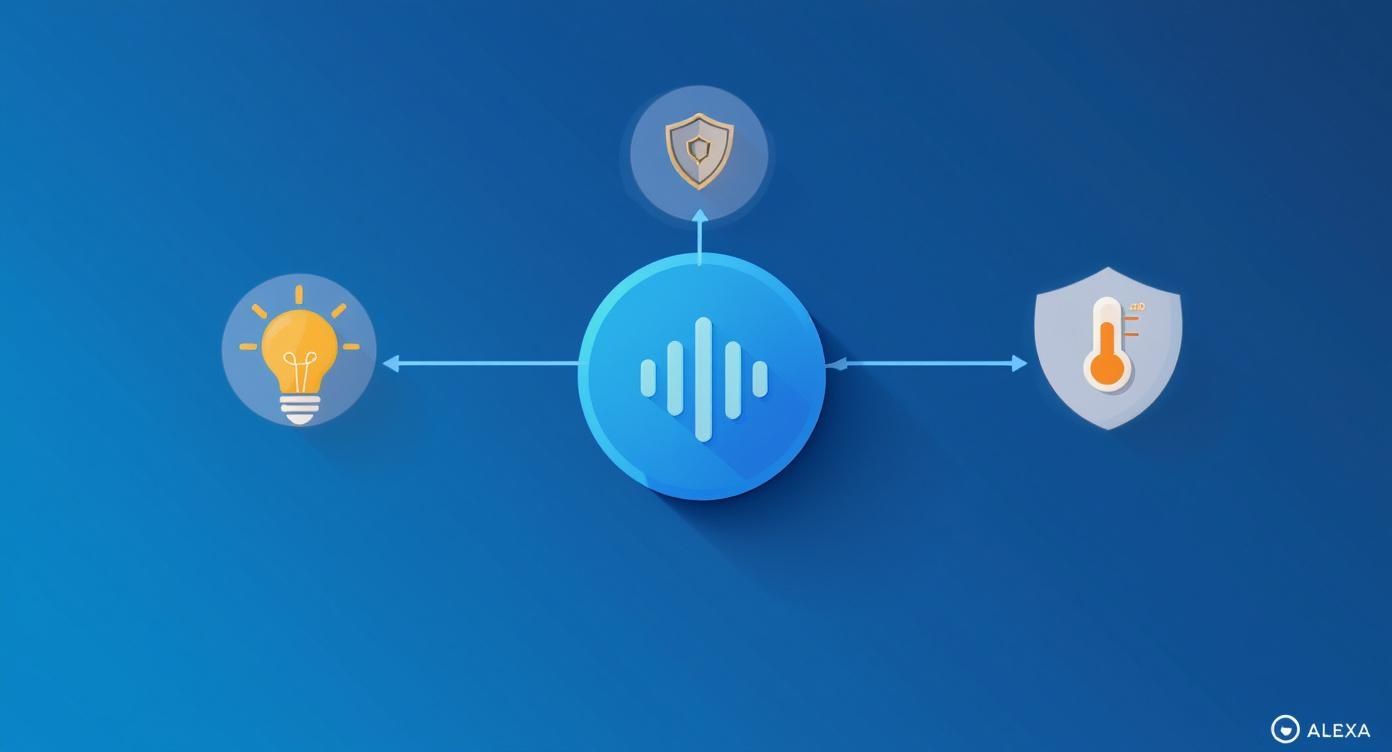
As you can see, Alexa's voice commands reach out to control everything from lighting and security to climate, pulling them all together into one cohesive smart home.
Works With Alexa vs. Alexa Built-in
As you start shopping for smart devices, you'll run into two key labels: "Works with Alexa" and "Alexa Built-in." Knowing the difference is a game-changer for building the system you actually want.
The distinction is simple: one type of device listens to Alexa, while the other type listens as Alexa.
Most of your smart home gadgets will fall into the "Works with Alexa" camp. These are your smart lights, locks, plugs, and sensors. They don't have microphones to hear you directly; they just sit and wait for instructions from an Echo speaker or the Alexa app on your phone.
"Alexa Built-in," on the other hand, means the device is an Echo device. It has its own microphones and speakers, so you can talk right to it to ask for the weather, control your other gadgets, or play music. You'll find this in third-party speakers, soundbars, and even some thermostats.
Here’s the breakdown:
- Works with Alexa: These devices are the followers. They are controlled by an Alexa device and make up the vast majority of smart products.
- Alexa Built-in: These devices are the leaders. They can hear the "Alexa" wake word and execute commands all on their own.
Understanding this difference helps you be more strategic. You can place Echo devices (or those with Alexa Built-in) as voice control points around your home, while filling in the gaps with simpler "Works with Alexa" products. That smart plug in the corner doesn't need a microphone, but the soundbar in your living room just might.
Essential Devices for Your Alexa Ecosystem
Once you get how Alexa ties everything together, the real fun begins: picking the right smart home devices that work with alexa to build out your system. Think of these as the fundamental building blocks of your smart home. You don't need to buy everything at once; starting with just one or two can make a huge difference in your daily routine.
Every device has a specific job. Smart lights set the mood, smart plugs bring your everyday appliances online, thermostats handle comfort and efficiency, and your smart speaker is the command center for it all. When they work together, they create a home that truly responds to you.
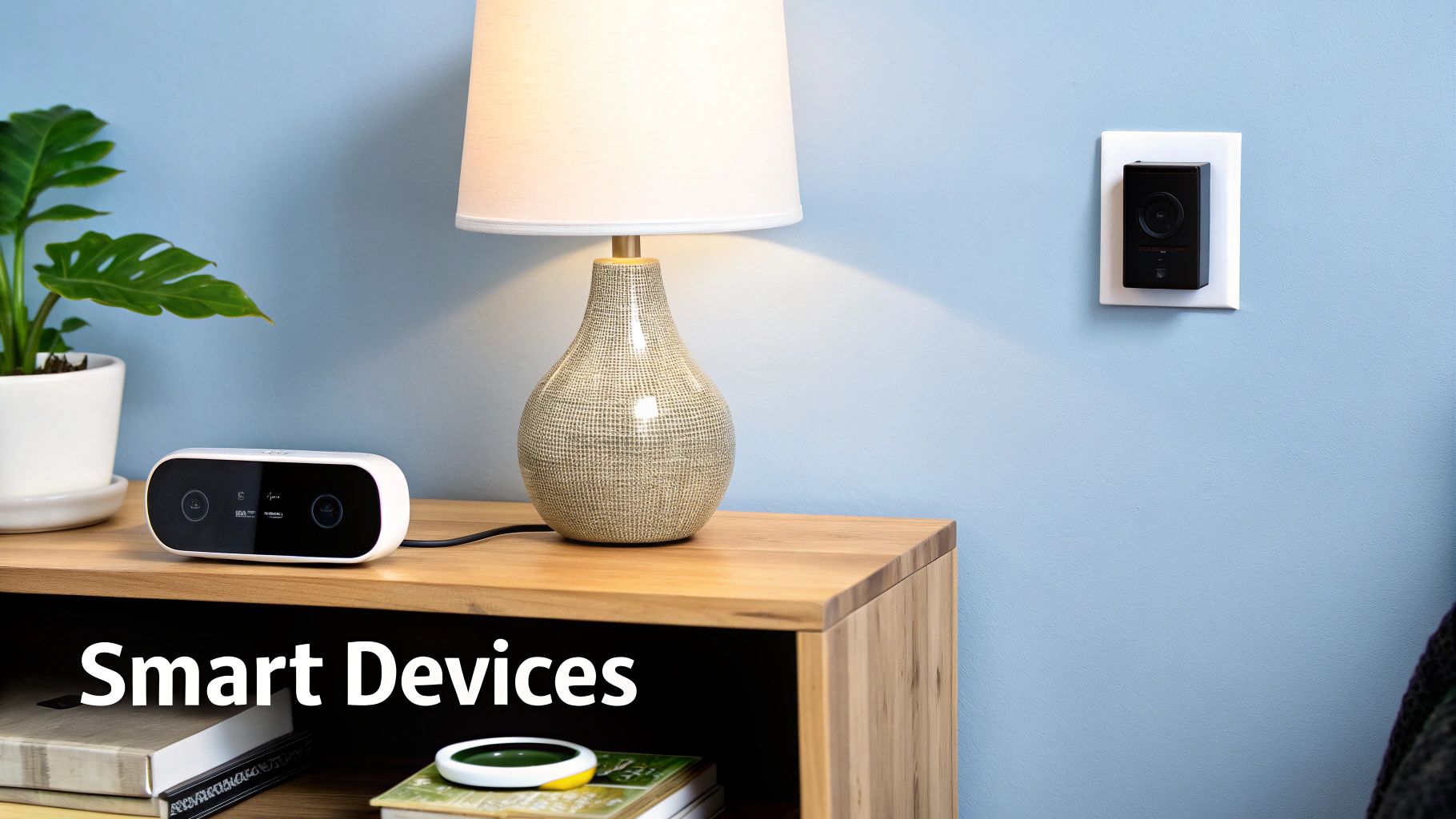
Illuminate Your World with Smart Lighting
For many people, smart lighting is the first step into the smart home world. It's easy to see why—it’s practical, looks great, and is incredibly simple to get started with. Brands like Philips Hue have become the gold standard, offering everything from basic white bulbs to colorful light strips that can transform a room.
But the real magic isn't just about saying, "Alexa, turn on the lights." It's about creating scenes. You could set up an Alexa routine called "Movie Night" that automatically dims the living room lights to 20% brightness and switches them to a cool blue. Or, a "Wake Up" routine could slowly raise the lights in your bedroom over 15 minutes, mimicking a sunrise to help you start your day gently.
This kind of control turns lighting from a basic utility into a core part of your home’s atmosphere.
Smart Plugs: The Ultimate Utility Player
What about all the "dumb" devices you already own and can't live without? That favorite old coffee maker, your trusty desk fan, or the holiday lights you pull out once a year? That’s exactly what smart plugs from companies like Kasa or Wyze are for. You just plug them into a normal outlet, then plug your device into them. Instantly, that device is smart.
A smart plug is essentially a voice-activated on/off switch. Suddenly, you can say, "Alexa, start the coffee maker" from bed. Or, if you’re at the office and have that nagging feeling you left the iron on, you can just ask, "Alexa, is the iron off?" for immediate peace of mind.
Smart plugs are the unsung heroes of the Alexa ecosystem. They bridge the gap between your traditional electronics and your new smart home, giving old favorites a new lease on life without needing to replace them.
They’re incredibly versatile and one of the most affordable ways to expand your Alexa-powered home.
Optimize Comfort with Smart Thermostats
A smart thermostat from a brand like Ecobee or Nest is a game-changer for both your comfort and your energy bill. These gadgets do way more than just follow a pre-set schedule. They actually learn your family's habits—when you leave, when you get home, and what temperatures you prefer at different times of the day.
With Alexa on board, control is just a voice command away. Feeling a chill while you're on the couch? Just say, "Alexa, set the temperature to 72 degrees." Many models even use room sensors to make sure the temperature is perfect right where you are, not just in the hallway. This kind of intelligent climate control can add up to some serious savings over time.
Smart Speakers: The Brains of the Operation
Of course, the heart of any Alexa ecosystem is a smart speaker. Amazon's own Echo line—from the tiny Echo Dot to the visual Echo Show—is your main point of contact with your smart home. These are the devices listening for the "Alexa" wake word, ready to spring into action.
They're not just for controlling other gadgets, either. They're your go-to for weather updates, news briefings, streaming music, setting kitchen timers, or settling a debate with a random fact. A few Dots placed strategically around the house means you’re never too far from being able to use your voice to get things done.
The smart home market, fueled by devices compatible with Alexa, is set for huge growth. In the U.S. alone, the market is expected to grow by about $6.47 billion between 2025 and 2029. Smart lighting and security cameras are leading the charge, holding major market shares of 26% and 23%, respectively.
While building your smart home, it's interesting to see how other smart tech fits into the bigger picture. For example, personal health tracking has become incredibly advanced with devices offering Apple Watch health features. True smart living is about getting all your different devices to communicate and work together smoothly. To learn more about making this a reality, check out our guide on https://irvinei.com/blogs/articles/smart-home-integration-how-irvinei-syncs-with-2700-devices.
Taking Home Security Up a Notch With Alexa
Beyond just playing music or setting timers, one of the most practical and powerful uses for smart home devices that work with Alexa is building a safer, more secure home. When you connect security gadgets to your Alexa ecosystem, you gain the ability to monitor and control your home's safety with your voice. It’s a huge peace of mind, whether you’re just in the other room or halfway around the world.
Think about it. You hear a strange bump in the night. Instead of fumbling for your phone or creeping to a window, you can just say, "Alexa, show me the front door camera." Just like that, a live feed pops up on your Echo Show. This kind of hands-free control turns your security from something passive into an active, responsive shield for your home.
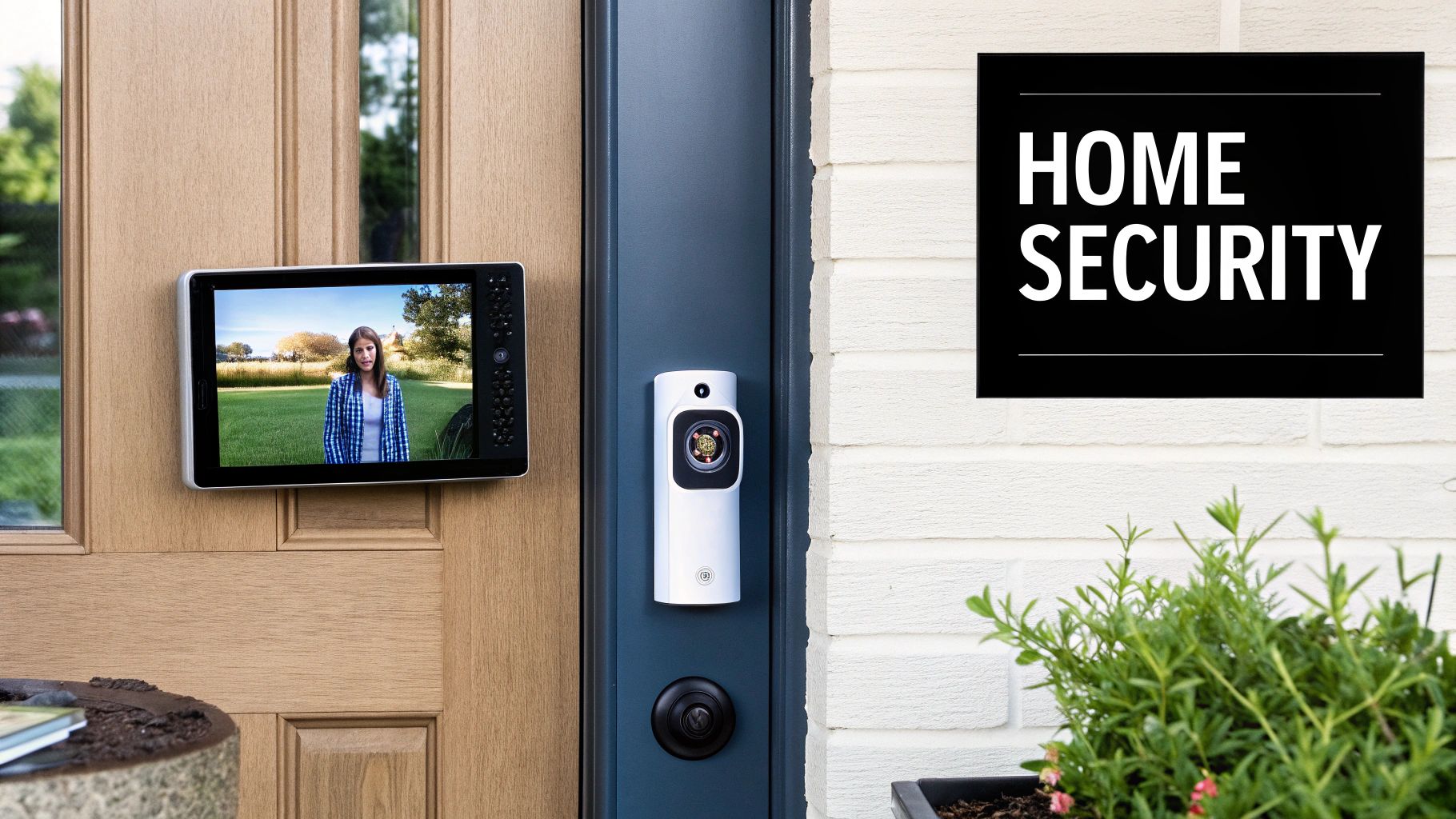
Your Eyes and Ears, a Smart Command Away
The cornerstones of any good smart security setup are cameras, doorbells, and locks. You’ve probably heard of brands like Ring, Arlo, and August—they’ve become popular precisely because their gear is reliable and plays nice with Alexa, effectively turning your voice into the master key for your home's security.
This is one of the fastest-growing areas in the smart home space. It's projected that by 2025, nearly 62% of people with smart security cameras will be checking their feeds daily, a lot of them through their Alexa devices. On top of that, about 25% of U.S. households with broadband are planning to buy smart locks. The trend is clear: people want integrated, voice-controlled security. You can dig into more of these trends over at Security.org.
Connecting these devices to Alexa opens up some incredibly useful interactions:
- Video Doorbells: You can see and talk to whoever is at your door, right from an Echo Show or your phone. When the bell rings, Alexa can announce, "Someone is at the front door," and immediately pull up the video feed for you.
- Security Cameras: Stick a camera wherever you need one and just ask Alexa to show you that specific view—the backyard, the garage, the nursery—whenever you want.
- Smart Locks: This is a real game-changer. You can lock up with a simple voice command on your way to bed or double-check that the doors are locked when you're already at the office. For safety, Alexa makes you use a verbal PIN to unlock a door, which is a smart touch to prevent anyone from just yelling through a window to get in.
Creating a Smarter, More Connected Defense
While each device is great on its own, their real power comes alive when you get them working together using Alexa Routines. This lets you create automated sequences that trigger based on certain events, making your home security system proactive instead of just reactive.
A truly smart security system doesn't just record what happens; it responds. By linking devices through Alexa, you create an active deterrent that can react faster than you can.
For instance, you could set up a "Secure Home" routine. When you say, "Alexa, I'm leaving," she could automatically lock all your doors, arm your security cameras, and even turn on a few lights to make it look like someone's home.
Don't Forget About Digital Protection and Privacy
When you’re setting all this up, remember that your digital safety is just as important as your physical safety. The best brands that work with Alexa build in crucial features to protect your data and keep unwanted eyes out.
Make sure any security device you buy has these two features—they are non-negotiable:
- End-to-End Encryption (E2EE): This scrambles your video footage so that it can only be viewed on your approved devices. It’s a critical feature that means not even the company that made the camera can see your private video streams.
- Two-Factor Authentication (2FA): This adds a second, crucial layer of security to your account. When you log in, you'll need both your password and a temporary code sent to your phone. It makes it incredibly difficult for an unauthorized person to get access.
By choosing devices with these protections and tying them all together with Alexa, you’re building a security system that's not only smart and responsive but also secure from the inside out.
A Deep Dive Into Multi-Function Smart Sensors
While individual gadgets like motion detectors or temperature sensors are great starting points, a truly smart home thinks bigger. That's where multi-function sensors come in. These clever devices are the next evolution, packing several sensors into one compact unit to get a much richer understanding of what's happening in a room.
Instead of juggling separate devices for motion, light, and temperature, one gadget can monitor all of those conditions—and more—at the same time. This opens the door to smarter, more intuitive automations that feel less like a script and more like your home is actually paying attention.
This is exactly where a device like the IRVINEi OVAL AI home hub shines in an Alexa-powered home. The OVAL isn't just another sensor; it’s a tiny, five-in-one command center. It combines motion, light, temperature, humidity, and even a water leak detector into a single, sleek package, making it one of the most versatile smart home devices that work with alexa you can find.
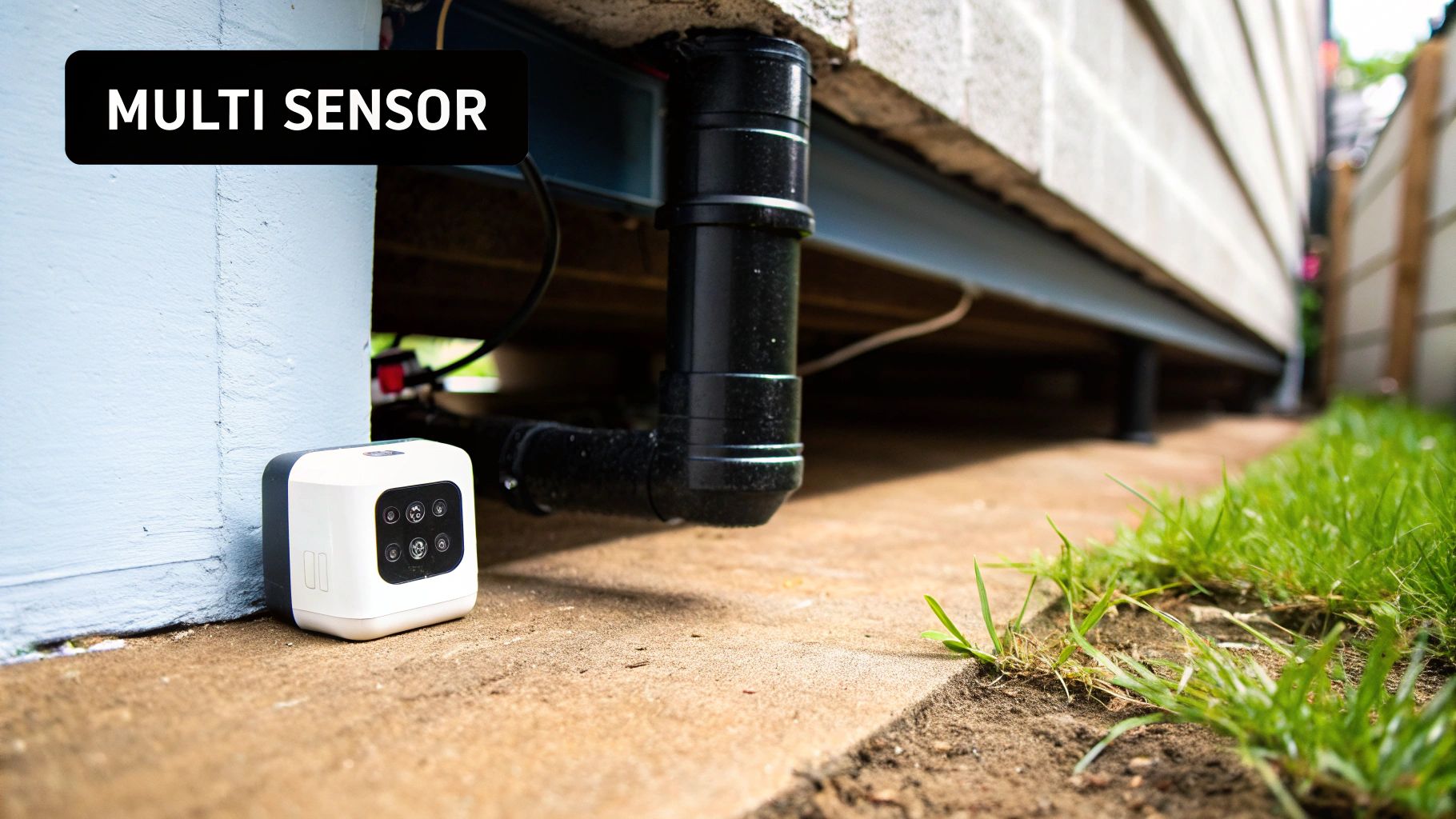
What Makes The OVAL Different
So, what sets the OVAL apart? It’s all about its ability to trigger complex Alexa routines based on multiple conditions at once. Your average sensor is a one-trick pony: if motion is detected, then turn on the lights. Simple. The OVAL, on the other hand, can see the bigger picture because it combines five distinct environmental sensors. Its key differentiators include:
- Five Sensors in One: You get motion, light, temperature, humidity, and a water leak detector in a single device. This consolidation means less clutter and more comprehensive data for creating smarter automations.
- Layered Triggers: Unlike basic sensors, OVAL allows for contextual routines. You can create rules like, "Turn on the fan only if the temperature is above 75°F and the humidity is over 60%." This prevents unnecessary actions and makes your automations more intelligent.
- Advanced Customization: The IRVINEi platform lets you fine-tune the sensor's behavior. You can adjust the sensitivity of the motion detector to reduce false alarms from pets and track real-time environmental data through its dedicated app, giving you precise control over your home's monitoring.
The real magic of a multi-function sensor like the OVAL is its capacity for layered intelligence. It gives Alexa a holistic view of a room’s environment, letting it make decisions based on context rather than just a single, isolated event.
This multi-sensing capability is what elevates your smart home from basic "if-then" commands to truly sophisticated automations that actually make your life easier.
Practical Applications In Your Home
When you start thinking about the real-world applications of a five-in-one sensor, you see just how practical it is. With a single device, you can set up automations that would have once required a messy and expensive collection of different gadgets. The IRVINEi OVAL streamlines everything, letting you build a smarter home with less clutter.
Here are just a few ideas to get you started:
- Proactive Leak Detection: Tuck an OVAL under a sink or near a basement pipe. The second its water sensor picks up moisture, it can kick off an Alexa Routine that blasts an announcement to all your Echo devices—"Water leak detected in the basement!"—while simultaneously sending an urgent notification to your phone.
- Intelligent Climate Control: Place an OVAL in a stuffy attic or bedroom. You can create a routine where if the temperature sensor climbs above 75°F and the humidity sensor tops 60%, Alexa automatically switches on a smart fan. It’s a smart response to the actual conditions, not just a dumb timer.
- Smarter Lighting Automation: A normal motion sensor turns on the lights anytime you walk into a room. With the OVAL, you can do better. Set the routine so the lights only come on if the motion sensor is triggered and the ambient light sensor knows the room is dark. Simple, but it saves a ton of energy.
Beyond these examples, the OVAL also lets you fine-tune its performance. You can customize the motion detector's sensitivity and track real-time data right from its app. This means you can dial in its settings for any room in your house, cutting down on false alarms and making sure your automations run like clockwork.
Automating Your Life With Alexa Routines
Having a bunch of smart devices is cool, but the real magic begins when they start working together automatically. That's exactly what Alexa Routines are for. Think of them as simple, custom automations that you build yourself, linking multiple actions under a single trigger.
Instead of barking out five different commands, you just use one, setting off a helpful chain reaction. It’s how you get your home to truly respond to your daily life.
A routine is basically a recipe. You pick a trigger (the "when") and then line up a series of actions (the "what"). This is how you unlock the true power of your smart home devices that work with alexa.
Building Your First Alexa Routine
You might be surprised at how easy it is to create your first routine. Let's walk through a classic example: the "Good Morning" routine. The whole point is to kickstart your day with one simple phrase.
- Open the Alexa App: Head over to the "More" tab and tap on "Routines."
- Create a New Routine: Look for the plus (+) icon and tap it to get started.
- Set the Trigger: For the "When this happens" part, choose "Voice" and type in your command, like "Good Morning."
- Add Actions: Now for the fun part. Under "Add action," you can start telling your devices what to do. You could have your smart lights slowly fade on, tell a smart plug to get the coffee maker brewing, and have Alexa give you the weather forecast for the day.
Once you hit save, all you have to do is say, "Alexa, Good Morning," and watch it all happen. It's a small tweak that makes your morning feel seamless.
Advanced Routines for Convenience and Security
Once you've got the hang of the basics, you can set up more sophisticated routines for things like leaving the house or winding down at night. For instance, a "Goodbye" routine could be triggered when you say, "Alexa, I'm leaving."
That one command could then do a whole checklist of things for you:
- Turn off all the smart lights and plugs.
- Adjust your smart thermostat to an energy-saving "Away" mode.
- Tell your smart lock to bolt the front door.
Routines transform your smart home from a collection of gadgets into a responsive environment. It's the difference between having tools and having an assistant who knows exactly how you want to use them.
You can even get fancier and create routines triggered by your location. Imagine setting up a geofenced routine that automatically flips on your porch lights and warms up the house the moment your phone gets close to home. That's hands-free convenience at its best—your home literally gets ready for your arrival.
Creative Alexa Routine Ideas
To get your gears turning, here are a few ideas that combine different devices to make daily life a little bit easier.
| Routine Name (Voice Command) | Trigger | Actions Performed by Alexa |
|---|---|---|
| "Movie Night" | Voice | Dims smart lights to 30% brightness, turns on the TV smart plug, and sets your smart speaker volume to 6. |
| "Bedtime" | Voice | Turns off all lights, locks the front door, sets the thermostat to 68 degrees, and plays sleep sounds for 30 minutes. |
| "I'm Home" | Geolocation (Phone Arrives) | Turns on entryway lights, adjusts the thermostat to a comfortable temperature, and plays your favorite Spotify playlist. |
| "Focus Mode" | Voice | Sets office lights to a bright, cool white, plays a "concentration" playlist, and enables "Do Not Disturb" on your Echo device. |
| "Dinner Time" | Scheduled (6 PM Weekdays) | Announces "Dinner is ready!" on all Echo devices, pauses any music playing, and dims the dining room lights. |
These are just starting points, of course. The best routines are the ones you create to solve your own unique, everyday problems, making your home work for you, not the other way around.
Got Questions About Your Alexa Smart Home?
As you start adding more smart devices to your home, a few questions always seem to pop up. Let's tackle some of the most common ones so you can build out your system with confidence.
Lots of people wonder if you absolutely need an Amazon Echo device to use Alexa. While an Echo speaker is the most common way, it's not the only way. Many other speakers, like those from Sonos, have Alexa built right in. You can even just use the Alexa app on your smartphone to control everything.
Can I Mix and Match Different Brands?
Yes, and that’s one of the best things about using Alexa! As long as a device has that "Works with Alexa" badge, you can add it to your setup, no matter who makes it.
This gives you the freedom to choose the perfect smart lock from one company and your favorite light bulbs from another. You're never locked into a single brand, so you can pick and choose the best gear for the job, knowing it'll all play nicely together.
People also get a little fuzzy on the difference between Wi-Fi and Zigbee devices. It's pretty simple: Wi-Fi gadgets connect straight to your home's router, which is super easy. The only downside is that too many of them can start to bog down your network.
Zigbee, on the other hand, is a different kind of network designed just for smart devices. It’s incredibly reliable and won't interfere with your Wi-Fi streaming, but it usually needs a separate hub to translate the signals.
If you're looking for a single device that can do the work of many, check out the multi-function sensors from IRVINEi. Their OVAL sensor, for instance, packs five sensors into one sleek unit. This opens up a world of automation possibilities that you just can't get from single-purpose gadgets. See how you can build a smarter, more connected home at https://irvinei.com.
